
Instagram cinematic portrait prompt is what you need if your feed still looks like everyone else’s phone camera shots and you want that editorial, scroll-stopping look instead. This prompt takes your regular photo and reshapes it into a polished, cinematic portrait with professional lighting, a moody colour grade and a background that feels intentional, not accidental.
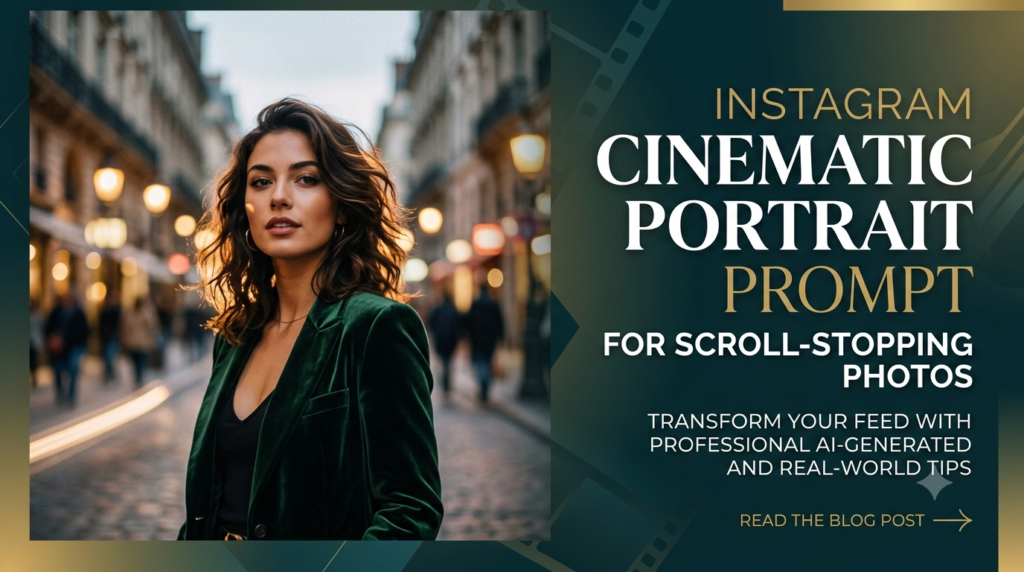
Most viral Instagram portraits share the same ingredients: shallow depth of field, deliberate lighting and a setting that adds mood. Typing a vague request like ‘make it look nice’ almost never produces that, which is exactly why a structured prompt like this one matters.
How This Instagram Cinematic Portrait Prompt Works
The prompt locks in your face and features first, then adds outfit, setting, lighting and camera style as separate, clearly defined layers, the same way a professional photographer plans a shoot before pressing the shutter. This layered approach is far more reliable than a single vague instruction and gives the AI model exact direction instead of room to guess. For more photo-styling prompt ideas built for Instagram, browse the Instagram Trending Prompts collection on PromptGuruji.
A Quick Example
Say you upload a casual photo taken on your phone. You set the outfit as ‘an oversized hoodie and cargo pants’, the location as ‘a neon-lit city street at night’, and keep the lighting instructions as given. The AI returns a moody, editorial-style portrait with soft rim lighting on your face, blurred neon signs in the background, and a colour grade that instantly looks more premium than the original shot.
What You’ll Get
- A cinematic, editorial-style portrait based on your uploaded photo
- Outfit and setting styled exactly the way you describe them
- Professional lighting with soft key light and background bokeh
- A polished colour grade suited for an Instagram feed or story
Who This Is Best For
This prompt is ideal for creators building a consistent, aesthetic feed, students wanting a striking profile photo, or anyone tired of flat, unedited selfies who wants a portrait that actually stops the scroll. It also works well for anyone updating their profile photo ahead of a personal milestone or a fresh content push.
Common Mistakes to Avoid
- Uploading a blurry, low-resolution photo, which limits how accurately the AI can preserve your features
- Leaving the outfit and setting fields empty, which produces a generic, uninspired result
- Mixing too many lighting styles in one request, like both golden hour and neon lighting at once
Tips to Get Better Results
- Use a clear, front-facing photo with good natural lighting as your base
- Pick one strong mood — moody night, warm golden hour, soft daylight — rather than combining several
- For official guidance on what performs well on the platform, Meta’s own Instagram for Business resource centre is worth reviewing
How to Use This Prompt
Copy the prompt above, upload your photo to your preferred AI image tool, and fill in the outfit and location details before generating your cinematic portrait.
Frequently Asked Questions
Will the AI change my face while editing the photo?
No, this prompt is specifically written to preserve your original face and features without distortion.
Which AI tools work best with this prompt?
Most modern AI image generators that accept a reference photo plus a text prompt, including tools built into Gemini and ChatGPT, work well.
Can I use this prompt for a group photo instead of a solo shot?
Yes, upload a group photo and mention that all faces should be preserved exactly as they appear in the original.
Do I need professional photography knowledge to use this?
No, the prompt already includes the technical photography terms, so you only need to fill in your personal styling choices.
How do I make the portrait look even more premium?
Try a couple of different location and lighting combinations and pick the version that feels most consistent with your existing feed.
Can I generate several versions to post across the week?
Yes, changing just the location or outfit field each time gives you a batch of related but distinct portraits for a week of posting.
This instagram cinematic portrait prompt is a simple way to turn an everyday photo into a feed-ready, editorial-style shot, and it’s flexible enough to reuse for every new outfit or location idea you come up with.